

Helen Tanner is Founder and CEO of DATA³, having launched the business in 2017. Since then she’s spoken with business leaders every day about their data and AI challenges: which puts her in a good position to notice when a genuinely new kind of problem shows up. In this piece, Helen looks at why AI costs catch so many businesses off guard, and the three simple practices that turn an unpredictable bill into a managed one.
We keep hearing the same story from finance teams and founders. Someone switched on an AI tool, the team started using it, and the first invoice arrived with a number nobody had budgeted for.
Sometimes the number is a few hundred pounds. Sometimes it spirals into thousands of pounds a month. In the worst cases we have seen figures reach tens or hundreds of thousands.
The fear is understandable. But fear is a poor management strategy.
We wrote this because the problem is fixable. Once you understand why AI billing behaves the way it does, you can put a small set of controls in place and turn an unpredictable cost into a managed one. Here is what we found, and the best practices we now recommend.
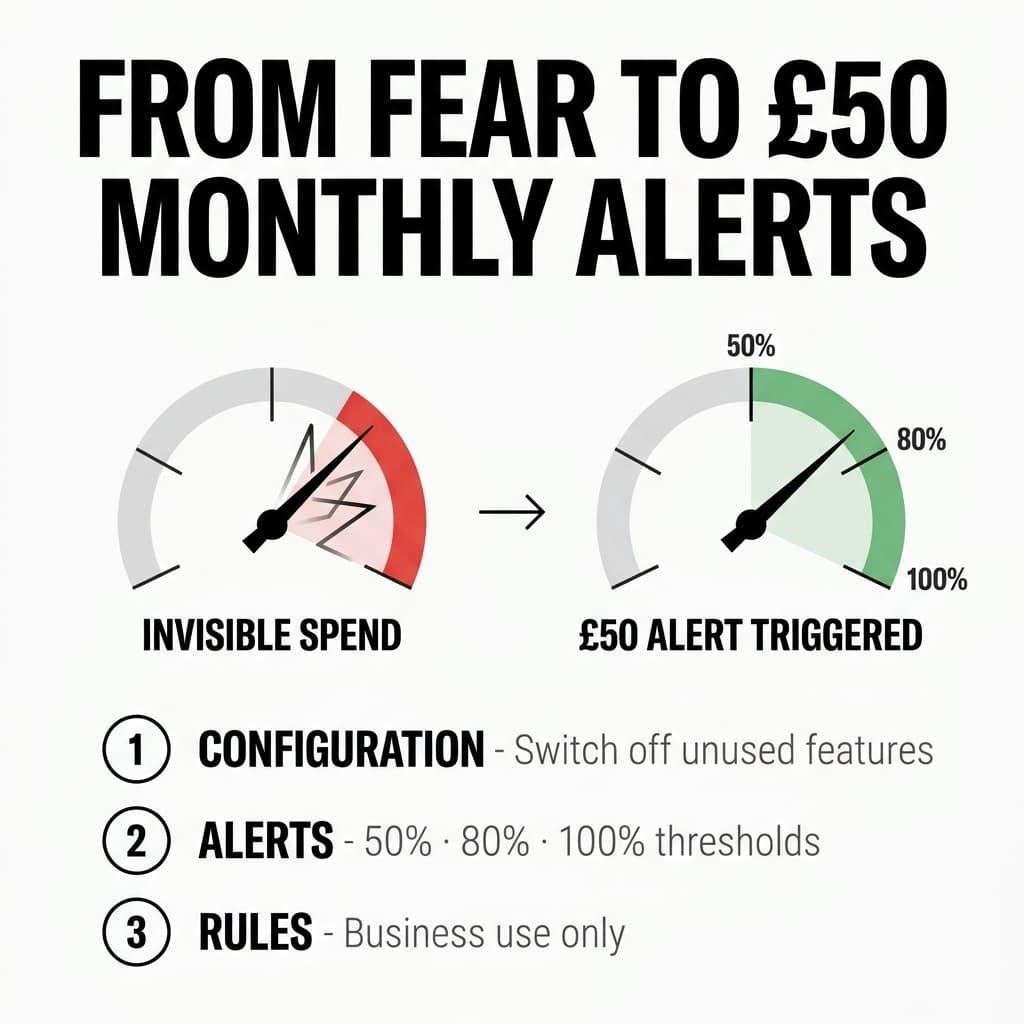
Why AI Costs Feel So Frightening
Traditional software pricing is boring, and boring is comforting. You pay a licence fee per seat per month. You know the number in advance. Your budget survives contact with reality.
AI pricing works differently. Most providers charge on a pay-as-you-go model based on usage. The billing unit is often the token, a fragment of text that the model reads or writes.
This creates three problems.
- The unit feels vacuous. Very few people can picture a token. Even fewer can estimate how many tokens a task consumes. Budgeting in a unit you cannot visualise is guesswork.
- Usage is invisible until the invoice. Every prompt, every document upload, every automated workflow quietly adds to the meter. Nothing on screen tells your team that the meter is running.
- Costs scale with enthusiasm. The better the tool works, the more people use it. Success and overspend arrive together, which is a strange incentive structure for any business.
When we dug into the horror stories, a pattern emerged. The spiralling bills rarely came from one reckless person. They came from hundreds of small, well-intentioned actions that nobody was counting.
Tip: if you can name your organisation’s average monthly token spend right now, you are ahead of most businesses we speak to. If you cannot, keep reading.
The Real Problem Is Governance, Not Pricing
It is tempting to blame the providers and their pricing pages. We think that misses the point.
Consumption-based pricing has existed for years in cloud computing, and mature businesses handle it well. They handle it through a discipline the industry calls FinOps, which simply means treating variable technology spend as something you actively manage rather than passively receive.
The bill is a symptom. The absence of oversight is the disease.
Most organisations adopted AI faster than they adopted the habits needed to govern it. Tools arrived through individual sign-ups and team experiments, often without any central visibility. This is commonly overlooked, and it is where the financial leakage begins.
The good news is that the fix does not require a new department or an expensive platform. It requires three things, and each one takes days rather than months to implement.
Best Practice One: Configuration
Start with your business-wide settings. Almost every serious AI platform gives administrators the ability to switch capabilities on and off across the organisation. Very few administrators ever open that page.
We recommend a simple audit, run once and then reviewed quarterly.
- List every AI tool your business pays for. Include the ones individual teams signed up for on a company card. Those are usually the ones nobody monitors.
- Open the admin settings for each one. Identify which features consume usage-based credits. Image generation, long-context analysis and automated agents typically cost far more per action than a standard chat prompt.
- Switch off what you do not need. Default settings serve the provider’s interests. Your configuration should serve yours.
- Restrict high-cost features to the teams that need them. Role-based access exists for exactly this reason.
Configuration is your foundation. It defines what is even possible before a single pound is spent.
Warning: watch for tools that allow individual users to upgrade their own usage tier. That single setting has caused more surprise invoices than any other we investigated.
Best Practice Two: Alerts
Configuration sets the boundaries. Alerts tell you when someone approaches them.
The single most effective control we found is the automated cost threshold alert. You define a spending level, and the system notifies you the moment usage crosses it. No manual checking. No end-of-month surprise.
Set alerts at two levels.
Business-level alerts
Define a monthly ceiling for total AI spend across the organisation. Then set alerts at 50 per cent, 80 per cent and 100 per cent of that ceiling.
The 50 per cent alert tells you whether you are on track. The 80 per cent alert gives you time to act. The 100 per cent alert should trigger a defined response, whether that is a review, a temporary pause or an approved budget extension.
Individual-level alerts
Business-level numbers hide individual behaviour. One person running heavy workloads looks identical, in a monthly total, to fifty people using the tool lightly.
Per-user thresholds surface the outliers early. In our experience the outliers are rarely acting in bad faith. They simply do not know what their work costs, because nobody ever showed them.
Send the alert to the individual as well as to the administrator. Visibility changes behaviour on its own, before any conversation happens.
Tip: route threshold alerts into the channel your team actually reads. An alert that lands in an ignored inbox protects nobody.
Best Practice Three: Rules
Here is where our investigation got interesting. Technical controls handle the how much. They say nothing about the what for.
When we looked at where usage actually went inside organisations without a policy, we found genuine business work sitting alongside a long tail of personal experiments. People generating memes for the group chat. People asking the company account for holiday itineraries. Each request costs pennies. Multiplied across a workforce and a year, the pennies become a line item.
The absence of rules creates two costs. The direct financial waste, and the harder conversation later when you have to introduce limits after habits have formed.
So write the rules down now. Keep them short enough that people read them.
- Define approved use. Business tasks such as drafting, research, analysis, coding and customer communication belong on the company account.
- Define excluded use. Personal projects, entertainment and, yes, memes belong on personal accounts and personal budgets.
- Name a route for exceptions. Someone will find a legitimate use case you never anticipated. Give them a person to ask rather than a reason to hide.
- Explain the why. People follow rules they understand. Show the team that every prompt has a price, and most of the problem solves itself.
Rules work best when they arrive with education rather than enforcement. A ten-minute session on what a token is, and what typical tasks cost, does more for your budget than any policy document sitting unread on the intranet.
Putting It Together: A 30-Day Plan
You can implement all three practices within a month. Here is the sequence we recommend.
- Week one: audit every AI tool and its current spend. Establish your baseline. You cannot control a number you have never measured.
- Week two: complete the configuration review. Switch off unused capabilities and restrict high-cost features.
- Week three: set business-level and individual-level alerts against a defined monthly budget.
- Week four: publish your usage rules and run a short briefing for the team.
Then review the whole system quarterly. Providers change their pricing, teams change their workflows, and yesterday’s sensible thresholds become tomorrow’s blind spots.
The Bigger Lesson
The fear around AI costs tells us something about where most organisations stand. We built our budgeting habits in an era of fixed licences and predictable invoices. AI billing rewards a different competency, the ability to manage variable, consumption-based spend in real time.
That competency is learnable. Configuration, alerts and rules are the starting kit, and every one of them is available to you today, usually inside tools you already pay for.
The businesses that thrive with AI will be the ones that treat cost management as part of adoption from day one. The fear fades quickly once the meter is visible and the boundaries are set.
Start this week. Open the admin settings on your most-used AI tool, find the spending controls, and set your first alert. That single action moves you from fear to control.
If you can’t name your organisation’s average monthly AI spend right now, is that a gap you can afford to leave open much longer? Book a consultation with DATA³ and let’s get your AI costs from fear to control.